Get a settlement workroom for my matter
Unpaid invoice, contract dispute, vendor or partner fight, or pre-litigation leverage. I build you a private workroom with the evidence organized, the amount documented, a demand letter, and a draft complaint as leverage, all reviewed and signed by me.
Build this for my dispute →Build this kind of AI workroom for my own clients
I build attorney-directed AI client workrooms and law-firm sites for solo and small firms, on your brand and your domain: guided intake, proof-posture classification, evidence tracking, and an attorney-review layer you stay in control of.
Build one for my firm →What the AI does vs. what the attorney does
The AI organizes the matter. I review and sign the legal work.
The AI handles the busywork
- ·Interviews the client in plain English and structures the facts
- ·Collects and inventories documents, and tracks what is missing
- ·Classifies the proof posture, flags missing evidence, and surfaces the controlling issues for attorney review
- ·Routes the matter to the right attorney-reviewed next step
The attorney owns the judgment
- ✓Decides the legal strategy and what the matter is really worth
- ✓Reviews and corrects every AI-generated analysis
- ✓Drafts, redlines, and signs the actual work product
- ✓Stays named, reachable, and personally accountable
Task-specific workrooms, not one generic chatbox
Every room is a working mockup of what I build and run for clients: the same architecture I use in real matters, with sample facts. Four are fully clickable live demos: the Settlement Workroom, the Contract & Package Workroom (a real document generator with a live preview and a built-in collaboration layer: comment on any clause, suggest exact wording, and see who changed what and when), the Demand Letter Workroom (a locked attorney demand letter and, for a processor hold, one unfiled arbitration-demand draft, an evidence ledger, and a litigation-readiness risk register, with the same comment and suggest-an-edit layer), and the AI Governance Workroom (an AI-adoption engagement room: a locked AI Use Policy with visible attorney redlines, a red / amber / green AI vendor matrix, weighted readiness checklists, and a phased rollout roadmap); pick a lane below to tour the others.
The workroom is the preview. These public workrooms show the structure, quality, and workflow of my legal services before you hire me. A workroom built around your own documents, facts, or legal questions requires a paid engagement.
Settlement Workroom
See how a business dispute becomes a settlement-ready proof room: documents, evidence matrix, payment analysis, litigation timeline, and attorney-reviewed strategy in one private portal.
For unpaid invoices, contract disputes, service-fee claims, vendor disputes, partner disputes, and pre-litigation leverage. Upload the documents, and the workroom organizes the case into a settlement-ready proof stack: claim theory, evidence matrix, document highlights, amount calculation, deadline calendar, and attorney-reviewed next steps.
Contract & Package Workroom
Not just Word files: a live document generator. Edit a field on the left and the agreement redrafts itself on the right, with only the changed words highlighted.
For startups and growing companies that need a coordinated set of agreements (NDA, MSA, SOW, DPA, order forms, and more) instead of one-off documents. Each document is a guided generator with a live preview, a built-in risk panel that flags terms like uncapped liability, and one-click drafts. New: a collaboration layer on every document. Click any clause to add a comment or suggest exact replacement wording, and watch it render as Word-style track changes with your name, a timestamp, and a pending / accepted / rejected status, exactly the review trail my clients get. This is the same engine I use to deliver multi-document packages for clients. A second sample on the same engine, a healthcare SaaS legal-ops workroom (HIPAA BAA, PHI boundary, state privacy, GDPR), is also live.
Demand Letter Workroom
See how a payment-processor hold becomes an attorney demand letter, with one unfiled arbitration-demand draft where warranted: locked work product, an evidence ledger, and a litigation-readiness risk register.
For unpaid invoices, contract disputes, frozen payment-processor funds, and any matter serious enough to back a demand letter with a real litigation threat. Work the evidence ledger, sort the litigation-readiness risk register, and open the locked demand letter and the unfiled arbitration-demand draft prepared where warranted. Click any paragraph in either document to comment or suggest wording, the same collaboration layer used across every workroom I build.
AI Governance Workroom
See how an AI-adoption engagement runs for a small firm: a locked AI Use Policy with my redlines visible, engagement-letter disclosure language, a red / amber / green AI vendor matrix, and a phased rollout roadmap.
For professional-services firms adopting AI faster than their safeguards. Sort the AI vendor matrix and flip a tool's account type or training posture to watch its rating react in real time, work the confidentiality and citation-verification checklists that feed a weighted readiness gauge, sort the risk register, and follow the assess, policy, training, monitoring roadmap. Then open the locked AI Use Policy: my redlines from the current revision round are baked in with margin notes explaining each change, and you can click any paragraph to comment or suggest wording, the same collaboration layer used across every workroom I build. The professional-responsibility baseline is the one this site already covers: CA RPC 1.1, 1.6, 5.1, 5.3, and 1.4, ABA Formal Opinion 512, and the State Bar's Practical Guidance on generative AI.
Trust Response Workroom (SaaS & AI)
See how a SaaS or AI company answers recurring customer trust, security, privacy, and AI questions from a fact registry and counsel-approved positions, with an AI draft queue that routes legal and high-risk answers to me for review before anything is sent.
For SaaS and AI companies fielding security questionnaires, DPA and subprocessor questions, and data-use and AI-governance questions from customers. The workroom pairs AI-assisted drafting with an attorney review panel, so nothing reaches a customer until I have approved it. The Trust Response Workroom vertical explains the packages and pricing.
Build this kind of workroom for your practice
Pick a lane above to see what each workroom does, what it includes, and the build range. Each one is attorney-built and attorney-reviewed, on your brand and your domain.
What's included
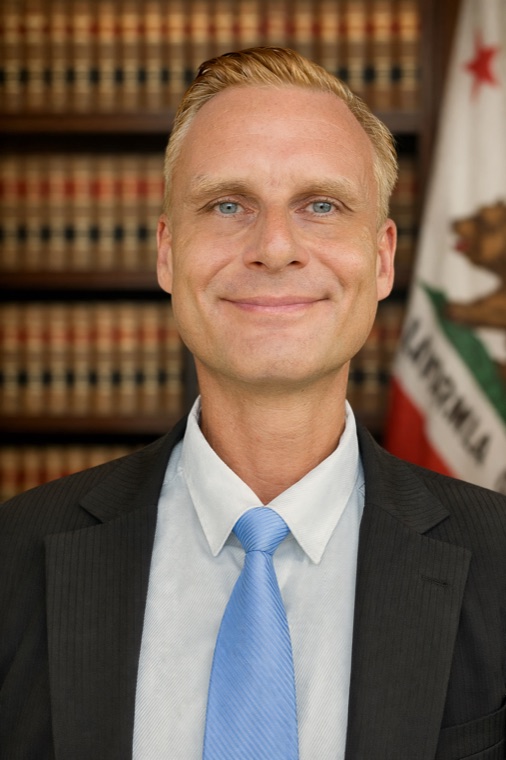
A licensed attorney clients can actually see, in the loop, on the record, signing the work.
Big Law is proving the direction: legal knowledge is becoming client-facing software. The small-firm edge is narrower, sharper workflows with a named lawyer who remains personally accountable for the legal work.
Build my AI law firm website →Demo workrooms use illustrative facts. This page provides general information about website and software implementation services, not legal advice, and does not create an attorney-client relationship. Building a workflow system for a firm does not make me counsel to that firm's clients; each firm's attorneys remain responsible for their own legal advice. Past results do not predict future outcomes. No matter is undertaken until conflict clearance and a written engagement. Sergei Tokmakov is licensed in California (Bar #279869).